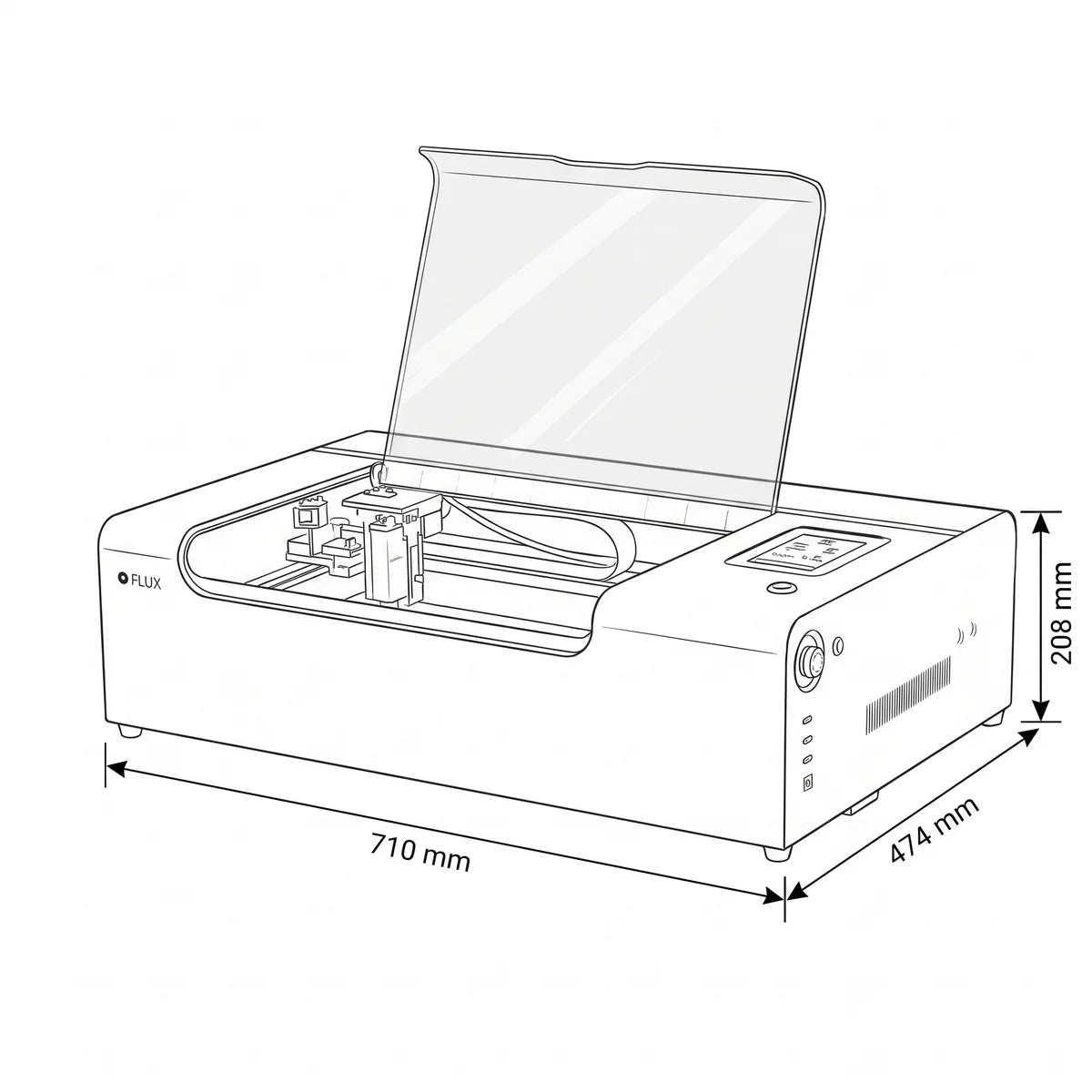
FLUX Beamo II
FLUX Beamo II
Couldn't load pickup availability


The FLUX beamo Ⅱ is a desktop CO₂ laser engraver and cutter with a 30 W source, designed for makers, creatives, professionals, and small businesses. Its compact structure integrates an 8 MP HD camera, autofocus, red-light preview, and a 360 × 240 mm CO₂ workspace.
With a maximum engraving speed of 750 mm/s, the beamo Ⅱ can cut and engrave materials such as clear and colored acrylic, wood, plywood, MDF, bamboo, leather, fabric, paper, and cardboard. The CO₂ laser can also engrave surfaces such as glass, stone, concrete, cork, and rubber.
The machine can be expanded with an optional 2 W infrared laser module, featuring a 1,064 nm wavelength, specifically for direct marking of various metals, including stainless steel, aluminum, gold, silver, copper, titanium, and iron. The IR module has a working area of 270 × 190 mm and reaches a maximum speed of 150 mm/s.
The system can be managed via Beam Studio or LightBurn and supports Wi-Fi, Ethernet, and USB. Thanks to the optional Extension Pocket, Chuck Rotary, and Auto Feeder accessories, it is also possible to work on cylindrical objects, taller materials, or supports up to 1,000 mm long.
The fully enclosed design, lid opening sensor, and emergency stop button contribute to safety during use. In the standard configuration, FLUX classifies the beamo Ⅱ as a Class 1 laser device; with the Auto Feeder installed, the machine instead operates as a Class 4 device.

Main features
Expandable laser system
The 30 W CO₂ laser allows for cutting and engraving various materials, including:
- Clear and colored acrylic.
- Wood, plywood, MDF, and bamboo.
- Leather and fabrics.
- Paper and cardboard.
- Glass, stone, concrete, cork, and rubber, primarily for engraving.
With the optional 2 W infrared module, it is possible to perform direct marking on numerous metals, including stainless steel, aluminum, gold, silver, copper, titanium, and iron. The IR module is also compatible with opaque acrylic and certain engineering plastics; however, it is not suitable for engraving on clear acrylic.
Positioning and focusing
The beamo Ⅱ integrates several tools to simplify job preparation:
- 8 MP CMOS wide-angle HD camera.
- Preview of the entire workspace via Beam Studio.
- Design positioning with drag-and-drop operations.
- Integrated autofocus, activated with one touch.
- Red-light preview to check the processing perimeter.
The camera has a preview area of 300 × 195 mm. Actual preview speed may depend on network conditions.
Improved performance
Compared to the previous FLUX beamo, the Ⅱ version reaches a maximum engraving speed of 750 mm/s, versus 300 mm/s in the previous model. FLUX also reports a more concentrated airflow due to reducing the distance between the nozzle and the material from 12 mm to 8 mm.
The CO₂ workspace has been increased to 360 × 240 mm, an increase of 37% compared to the previous model. The machine also supports taller materials or objects using dedicated accessories.
Indicative cutting capacities
Performance depends on the material, density, humidity, board quality, and parameters used. The values reported by FLUX are indicative:
Multiple passes may be required for some materials. Wood may offer different results based on density and moisture content. FLUX also recommends exercising caution when cutting leather, fabric, and cardboard, as these are highly flammable materials.
Workspace and accessories
- CO₂ laser working area: 360 × 240 mm.
- Infrared laser working area: 270 × 190 mm.
- Overall workspace: 415 × 335 mm.
- Maximum height with honeycomb bed: up to 7 mm.
- Maximum height without honeycomb bed: up to 30 mm.
- Maximum height with Extension Pocket: up to 155 mm.
- Maximum length with Auto Feeder: up to 1,000 mm.
Using the Auto Feeder changes the safety classification: according to FLUX, with this accessory, the machine operates as a Class 4 laser device.
Technical specifications
Software, connectivity, and safety
The beamo Ⅱ is compatible with Beam Studio, FLUX's proprietary software, and with LightBurn. Beam Studio is available for macOS, Windows, Linux, and ChromeOS and supports JPG, PNG, SVG, DXF, PDF, and AI formats.
The machine integrates Wi-Fi, Ethernet, and USB connectivity. The main system is designed as a Class 1 laser device and is equipped with:
- A fully enclosed structure.
- Laser shutdown when the lid is opened.
- Emergency stop button.
- CE, FCC, and FDA certifications declared by FLUX.
- Compliance indicated with IEC 60825-1 standard and SGS testing.
However, it is necessary to use the device in an adequately ventilated environment and follow the official instructions regarding materials, extraction, filtration, and laser safety.
Box Contents
Inside the FLUX beamo II box, you will find everything you need to start working right away:
- FLUX beamo II machine (with distilled water included in the cooling system)
- Honeycomb platform (30W)
- Vent hose (150 - 160 cm long) and hose clamp
- Power cord and Ethernet cable
- USB Wi-Fi dongle and USB flash drive
- Maintenance toolkit:
- Torx screwdriver and 2.5 mm hex key
- Double-ended wrench
- Funnel for filling coolant
- Calibration and consumable accessories:
- Lubricant for laser rails
- Double-sided tape for mirror alignment
- Test wood piece for the first trial
- beamo user manual
Comparison with the FLUX Laser Family
Below is how the beamo II compares to other models in the FLUX range:
| Model | Laser Power | Working Area | Max Cutting Thickness | Max Speed | Key Features |
| beamo (1st gen) |
30W CO2 |
300 x 210 mm |
Up to 5 mm | 300 mm/s |
The previous generation ultra-compact model. |
| beamo II | 30W CO2 (+ 2W IR optional) | 360 x 240 mm | Up to 7 mm | 750 mm/s | Evolution with autofocus, faster 8MP camera, extended area, and dual-laser support. |
| Beambox Pro |
50W CO2 |
600 x 375 mm |
Up to 12 mm |
900 mm/s |
More power and an intermediate workspace for larger productions. |
| Beambox II |
55W CO2 |
630 x 435 mm |
Up to 20 mm |
900 mm/s |
High performance, deeper cutting, and large format. |
| HEXA |
60W CO2 |
730 x 410 mm |
Up to 21 mm |
900 mm/s |
The top-of-the-line model for continuous professional and industrial use. |
Why choose beamo II over other models?
- Compared to beamo (1st Gen): It offers 37% more area, 2.5 times faster engraving (750 mm/s vs 300 mm/s), standard autofocus, and the ability to add the infrared module for engraving on metal.
- Compared to Beambox II / HEXA: It maintains a more accessible price and a compact desktop footprint (integrated Class 1 safety), while still offering the latest technologies from FLUX.
Shipping and Warranty
Shipping and Warranty
All in-stock products will be delivered within an average of 24/48 hours.
Italian Warranty with dedicated consulting support, contact us!